
HR & Payroll in Cosmo School ERP
Keep every teacher's and employee's record in one place, with photo, CNIC, qualification, joining date and documents. Leave requests are applied for and approved online against each person's quota. Monthly payroll pulls basic salary, allowances, deductions and unpaid leave together, and staff can see and print their own payslips.
Key benefits
Complete staff records
Departments, designations, documents and status in one list.
Paperless leave
Staff apply online; the admin approves against quotas.
Payroll in one run
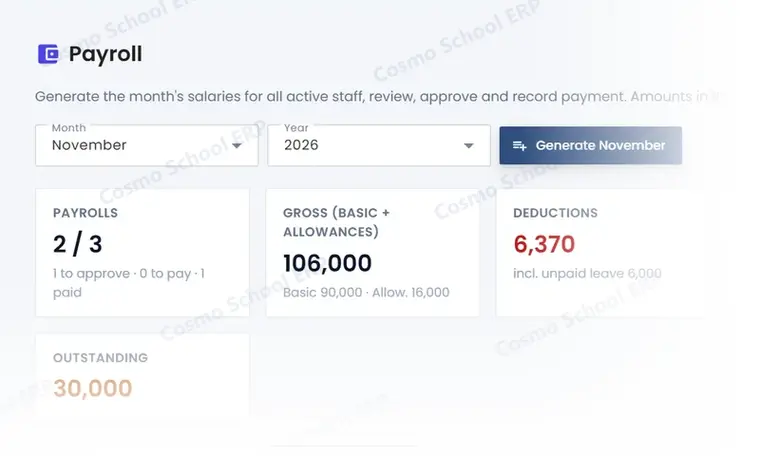
Generate, review, approve and pay the month's salaries.
A partial view of the screen
This is part of a real HR & Payroll screen in Cosmo School ERP, shown with test data. In the free demo we open the complete screens and walk through each step with you.
Everything in HR & Payroll
Staff 4
- Staff recordsTeaching and non-teaching staff with photos and documents.
- Departments and designationsOrganise staff by department and post.
- Leave requestsApply, approve or reject leave, with quotas per type.
- Staff attendanceDaily check-in and check-out, manual or from devices.
Payroll 4
- Salary componentsAllowances and deductions, fixed or percentage.
- Monthly payrollGenerate the month's payroll with unpaid-leave deductions.
- PayslipsPrintable payslips for every employee.
- My payslipsStaff see and print their own payslips.
Related modules
Attendance
Daily student and staff attendance, biometric devices, face and card kiosks, registers.
12 featuresExploreAccounts
Chart of accounts, vouchers, journal, cash and bank books, imports from fees and payroll.
8 featuresExploreTeaching & Learning
Lesson plans, class diary, assignments, study material, video lectures, online classes and tasks.
9 featuresExploreWant to see HR & Payroll live?
Book a free demo and we will show this module with data like your own school's.